Launch a self-serve integration marketplace inside your product

Give customers a branded place to discover, install, configure, and manage integrations — while your team controls everything from the Integration Hub.
Get started

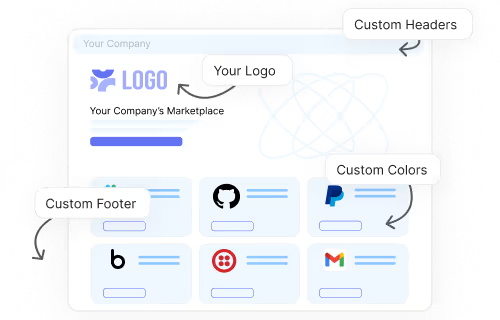
A fully branded integration marketplace inside your app

Pandium’s In-App Marketplace is a white-labeled experience embedded directly in your app, so customers can find and activate integrations without leaving your product. It is designed to support discovery, installation, configuration, sync scheduling, and ongoing management in one place.

The marketplace can be tailored with themes, fonts, colors, components, sorting, and content so it feels like part of your application rather than a bolted-on tool.
GitHub repository named acme_to_salesforce showing folders for multiple languages and a code snippet with pipenv commands for Python Salesforce integration.

Built for adoption, not just launch

Pandium’s In-App Marketplace helps teams increase awareness and adoption with customizable listings, categories, tags, publish controls, and direct install options.

Publish only the integrations you want customers to see and guide users straight to a specific integration or auth flow when needed.

GitHub repository named acme_to_salesforce showing folders for multiple languages and a code snippet with pipenv commands for Python Salesforce integration.

Turn your marketplace into a partner growth channel

Give partners a single, branded place to list integrations, and monitor performance, while you track installs and usage to clearly prove the value of your partner program.

Invite partners to submit app card content and live integrations so users can discover, activate, and use your ecosystem without ever leaving your product. Use built-in approval workflows to approve, request changes, give feedback, and ensure everything meets your standards before going live.
GitHub repository named acme_to_salesforce showing folders for multiple languages and a code snippet with pipenv commands for Python Salesforce integration.

The marketplace for every integration you launch

Embed in your app

Embed a custom integration marketplace into your software. 100% white-labeled - your users won’t know Pandium exists.

Style to fit your brand

Add your logo, colors, hero banner, fonts and copy. Configure app categories, enable search, and customize tiles - all without coding. Custom CSS is also available.

Feature all integrations

Showcase integrations built by you, your partners, or those created with Pandium. It’s not restricted to integrations built on Pandium.

Empower customers

Enable your customers to download and manage integrations through a self-serve dashboard.

Choose who can see apps

Customize which integrations are shown to different users. Ensure only relevant integrations appear for specific customers.

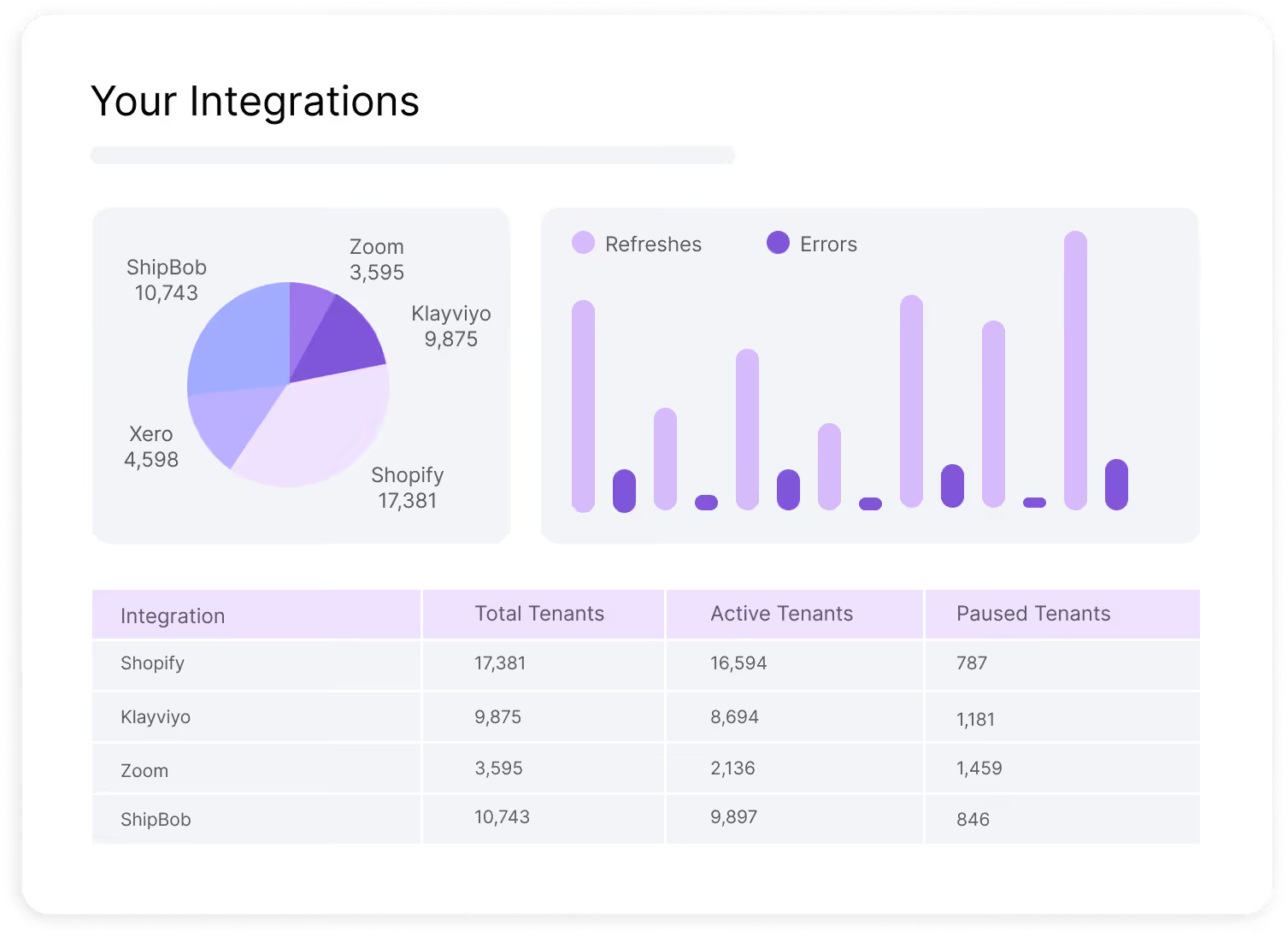
View activity metrics

See most visited pages, active users, total customers, and integration installs. Easily share metrics with your technology partners.

Already have your own marketplace?

Pandium provides flexible ways to embed and customize integration setup and authentication flows into an existing marketplace.

Embedded Integration Install

Embed a secure, fully managed integration setup UI into an existing marketplace. Allow customers to authenticate, configure settings, and schedule syncs, while Pandium powers the UI and OAuth flows behind the scenes.

Embedded Auth

Embed an authentication experience into an existing marketplace, and allow users to securely connect to their systems without manual configuration. You control the UI, while Pandium manages OAuth flows and API key exchanges.

See How Pandium Accelerates Integration Development.

Schedule a demo to see how Pandium helps B2B SaaS teams build, launch, and manage integrations—faster, with more control, and without the infrastructure headaches.
Thank you! Your submission has been received!
Oops! Something went wrong while submitting the form.
Support

FAQs

Some of the most common questions we get asked. Can’t find the answer you’re looking for? Browse all FAQs.
How does Pandium’s Integration Generator differ from traditional low-code or generic AI code tools?
Pandium’s Integration Generator creates production-ready integration code using pre-built, reusable API clients and infrastructure, ensuring the code works in real-world SaaS environments. Unlike generic AI tools that may produce incomplete or non-contextual code, Pandium’s solution is engineered specifically for integration use cases, delivering reliable, maintainable, and testable outputs that fit seamlessly into your existing engineering workflows.
Can I maintain full control and ownership of the code generated by Pandium?
Yes. All code generated by Pandium’s Integration Generator lives in your version-controlled repositories. You can edit, review, and deploy the code using your preferred IDE or the Pandium CLI, ensuring there’s no vendor lock-in and you retain complete ownership and flexibility over your integrations.
How does Pandium ensure the quality and reliability of AI-generated integrations?
Pandium employs a multi-layered validation process: every integration flow is automatically tested for compilation and functionality, then reviewed by your engineers before deployment. The generated code follows engineering best practices, is CI/CD-ready, and leverages Pandium’s proven integration infrastructure for robust performance and maintainability.
What types of integration tasks can the Integration Generator handle?
The Integration Generator is designed to automate repeatable tasks such as data transformation, API call sequencing, and field mapping between systems. It focuses on flow logic generation - fetching, transforming, and syncing data - while core configuration and authentication remain under your control, ensuring predictable and secure integrations.
How does Pandium’s Integration Generator fit into my existing engineering workflow?
The AI-generated code is stored directly in your repository, making it easy to pull into any IDE for further development, review, or customization. The Pandium CLI allows for local execution and testing, and all integrations can be managed through your standard CI/CD pipeline - just like any other code your team writes.
Can non-technical users create integrations with the Integration Code Generator? 
Yes, non-technical users can create integrations in minutes using Pandium’s AI‑powered Integration Code Generator by selecting the systems and objects they want to sync—Pandium generates working integration code automatically.

The Product & Engineering Guide to Choosing the Right Integration Platform

Choosing the right integration platform can make or break your SaaS product’s ability to scale, meet customer demands, and maintain flexibility. This guide walks through key technical and business considerations to help you evaluate solutions based on architecture, customization, scalability, and long-term maintenance.