Build integrations in code with AI. Run them on infrastructure built for production.

Your coding agent or Pandium's AI code generator writes the logic. Pandium runs it for every customer.
Get a demo

What is AI-assisted integration development?

AI-assisted integration development means using a coding agent or AI code generator to write an integration's business logic, like field mappings and transformations. That code still needs auth, hosting, monitoring, and release control to run for every customer. Pandium is a code-first embedded iPaaS that provides it.

Why isn't AI-generated integration code production-ready?

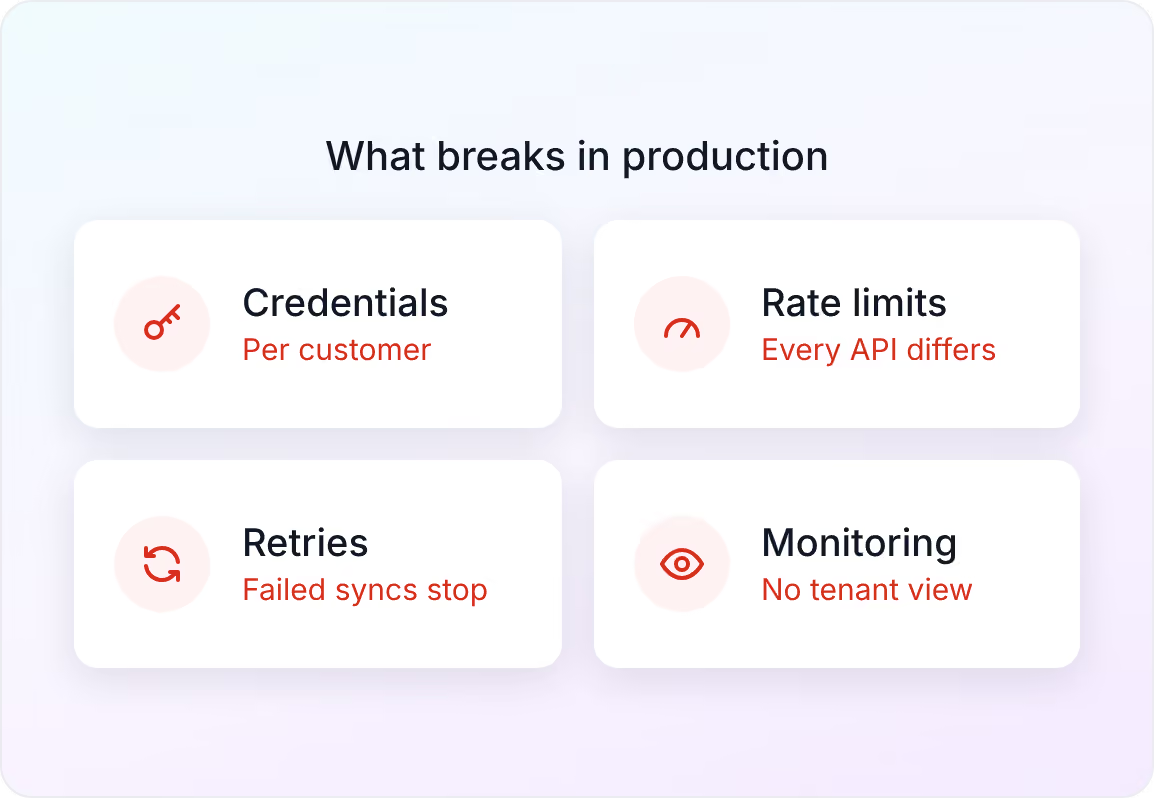
AI coding agents can draft an integration in an afternoon. That changes how fast your team writes code. It doesn't change what it takes to run that code for hundreds of customers: managing credentials, respecting rate limits, retrying failed syncs, and knowing which tenant broke.

Generic AI output also drifts. The same prompt can produce different code, one wrong field mapping can break a sync, and reviewers skim large AI-generated diffs.
GitHub repository named acme_to_salesforce showing folders for multiple languages and a code snippet with pipenv commands for Python Salesforce integration.

How does Pandium help you build integrations with AI?

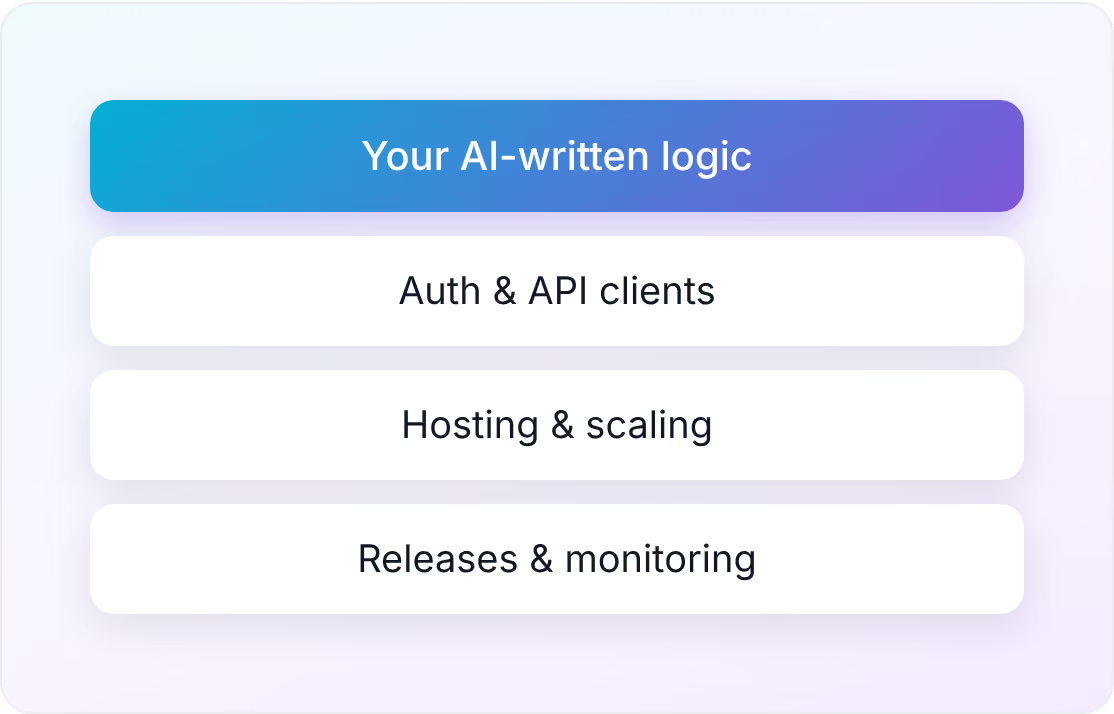
Pandium keeps AI on the part it's good at: mapping and transforming data. Tested API clients handle auth, pagination, rate limits, and retries, and Pandium hosts, versions, and monitors the code your AI writes.
GitHub repository named acme_to_salesforce showing folders for multiple languages and a code snippet with pipenv commands for Python Salesforce integration.

Two ways to build with AI

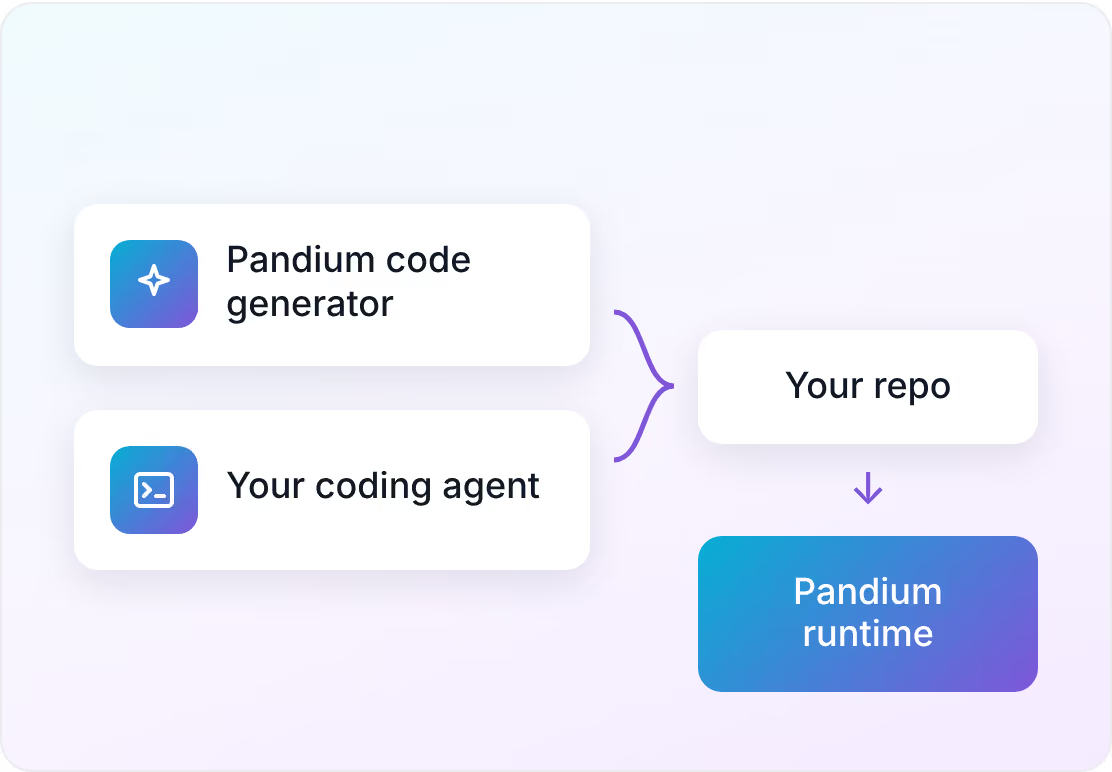
Use Pandium's AI code generator: pick the systems and data to sync, and Pandium writes the code and commits it to your repo.

Or bring your own coding agent. Claude Code, Codex, or any agent works with Pandium's scaffolding, typed API clients, and CLI, with no plugin required.
GitHub repository named acme_to_salesforce showing folders for multiple languages and a code snippet with pipenv commands for Python Salesforce integration.

Guardrails that make AI-written integrations safe to ship

Infinity loop made of pink and red gradient curved lines on a transparent background.

Production Infrastructure

Hosting, auto-scaling, auth, logging, and alerts, built for uncapped volume and high-traffic spikes.

Infinity loop made of pink and red gradient curved lines on a transparent background.

You Own the Code

Integrations live in your Git repo and ship through your pull requests and CI/CD. No lock-in.

Infinity loop made of pink and red gradient curved lines on a transparent background.

AI on a Short Leash

API clients handle the deterministic work. AI fills in transformation logic, so code stays small and reviewable.

Infinity loop made of pink and red gradient curved lines on a transparent background.

Bring Your Own Agent

Use Pandium's generator, Claude Code, Codex, or any agent. No plugin or special setup needed.

Infinity loop made of pink and red gradient curved lines on a transparent background.

Tenant Release Control

Every change is versioned. Roll out to all customers, pin a version per tenant, or roll back.

Infinity loop made of pink and red gradient curved lines on a transparent background.

Visibility by Customer

Sync history, failures, and installs by customer, integration, or partner, so you can debug fast.

"A key component of Pandium for us was the fact that we own the integration code that we've developed." — Travis Logan, CTO and Co- Founder, Justuno

Who does what: your team vs. Pandium

Your team and your AI agent Pandium
Business logic and field mapping Auth for public and private APIs, SFTP, and databases
Customer-specific transformations API clients with pagination, rate limits, and retries
Code review, tests, pull requests Hosting and auto-scaling runtime
Choosing when to release Versioning and per-tenant release control
Logs, alerts, and sync history by customer
White-labeled marketplace and install flow

Let the people closest to the customer make the change

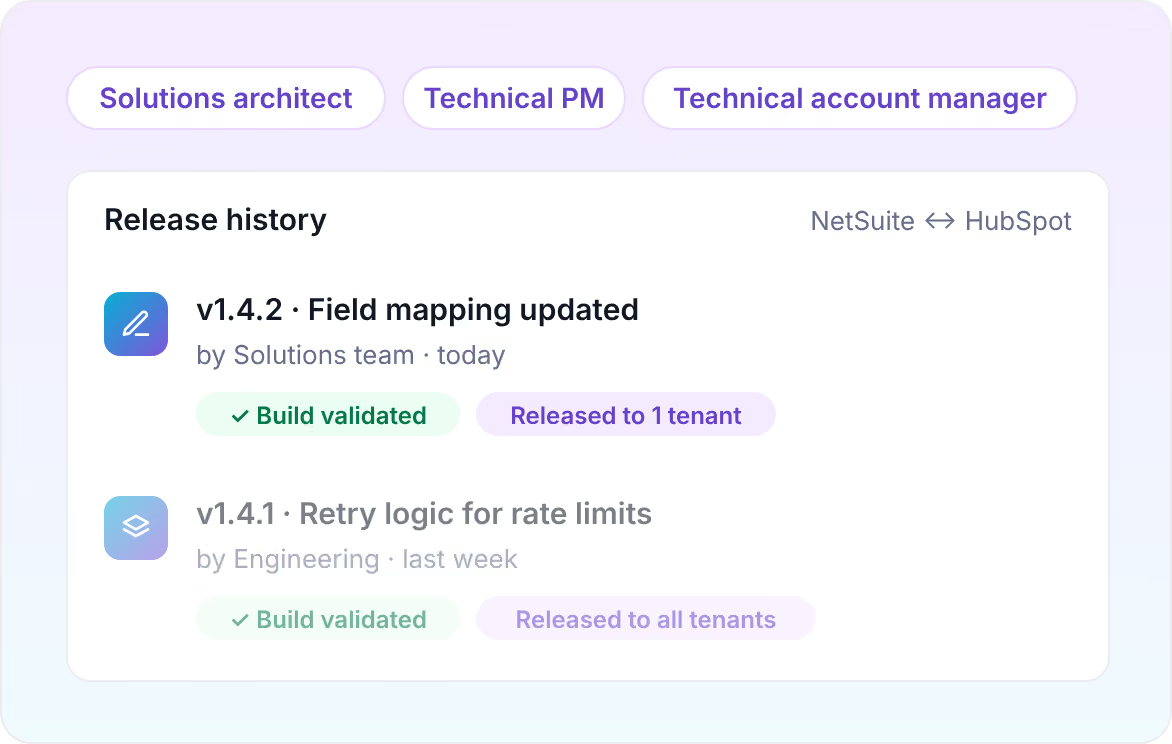
Solutions architects, technical PMs, and technical account managers already know what a customer needs. With an AI coding agent and Pandium's guardrails, they can update a field mapping or adjust a live integration without waiting in the engineering backlog. Pandium's auth controls, release history, and build validation keep those changes safe.
GitHub repository named acme_to_salesforce showing folders for multiple languages and a code snippet with pipenv commands for Python Salesforce integration.

Build what no catalog covers

AI makes custom integrations fast to write. Pandium makes them safe to run. So you can finally say yes to the systems no connector catalog covers.

Homegrown and partner APIs
Write a client once and reuse it across integrations.

SFTP and file feeds
Scheduled file-based syncs with logging and monitoring.

Direct database connections
Connect to customer databases with
Pandium-managed auth.

Complex business logic
Multi-step orchestration, conditional routing, and reconciliation, with real tests and code review.

AI features in your integrations
Pre-built connectors for Anthropic, OpenAI, and Gemini, so integrations can call models directly.

Migrations from another platform
Move existing integrations into your own
repo and onto Pandium's runtime.

Talk to us about your edge case →
Support

FAQs

Common questions about building integrations with AI on Pandium.
Browse all FAQs →
Can I build integrations with Claude Code or Codex on Pandium?
Yes. Pandium works with any coding agent, with no plugin required, because integrations are standard code in your repo built on the Integration Development Kit and the Pandium CLI. Your agent writes the business logic using Pandium's scaffolding and API clients, and Pandium handles auth, hosting, and deployment.
What is Pandium's AI integration code generator?
It's a built-in tool that writes a working integration from the systems and objects you select. It generates TypeScript flow logic using Pandium API clients, validates it, and commits it to a branch in your repo for review.
Who owns the code AI generates?
You do. Generated code lives in your Git repo and you can edit, test, and deploy it like any other code.
How does Pandium keep AI-generated integration code reliable?
Pandium limits AI to transformation logic. Tested API clients handle auth, pagination, rate limits, and retries. Generated code is compiled and checked before it's committed, and your engineers review it before release.
Does the AI see my customers' credentials?
No. Pandium manages authentication and secrets separately from the integration code your agent writes.
Can we keep our Git workflow and CI/CD?
Yes. Integrations live in your repo, go through your pull requests, and release through your pipeline. Pandium creates versioned releases from that code.

See How Pandium Accelerates Integration Development.

Schedule a demo to see how Pandium helps B2B SaaS teams build, launch, and manage integrations—faster, with more control, and without the infrastructure headaches.
Thank you! Your submission has been received!
Oops! Something went wrong while submitting the form.