
Pandium Product Updates May 2026
New Marketplace Events
We now support 19 events within various parts of the Pandium iframed Marketplace. Pandium’s Marketplace events are emitted events from the iframe that you can use to trigger additional custom actions or navigate outside of the iframe. Events include, but are not limited to, the Pandium Install Flow, Integration Sync, Connection Settings, Uninstall, Content Height Change, and All Integrations Page. To learn more, please review our documentation.
Bug Fixes and QoL Improvements
We’ve updated some language to improve the clarity of our NetSuite connector. Additionally, we now provide an improved error message for any issues that arise during the creation of the NetSuite OAuth URL. We’ve completed our semi-annual update to maintain support for the latest versions of common coding languages. We also added a new public API endpoint for disconnecting a specific connector on a tenant. Read more here.
Failed Run Notification
Pandium already supports both email and webhook based notifications, but we’ve expanded our alerting to also include instant failed run notifications. For more information, visit our reporting and notifications help doc.
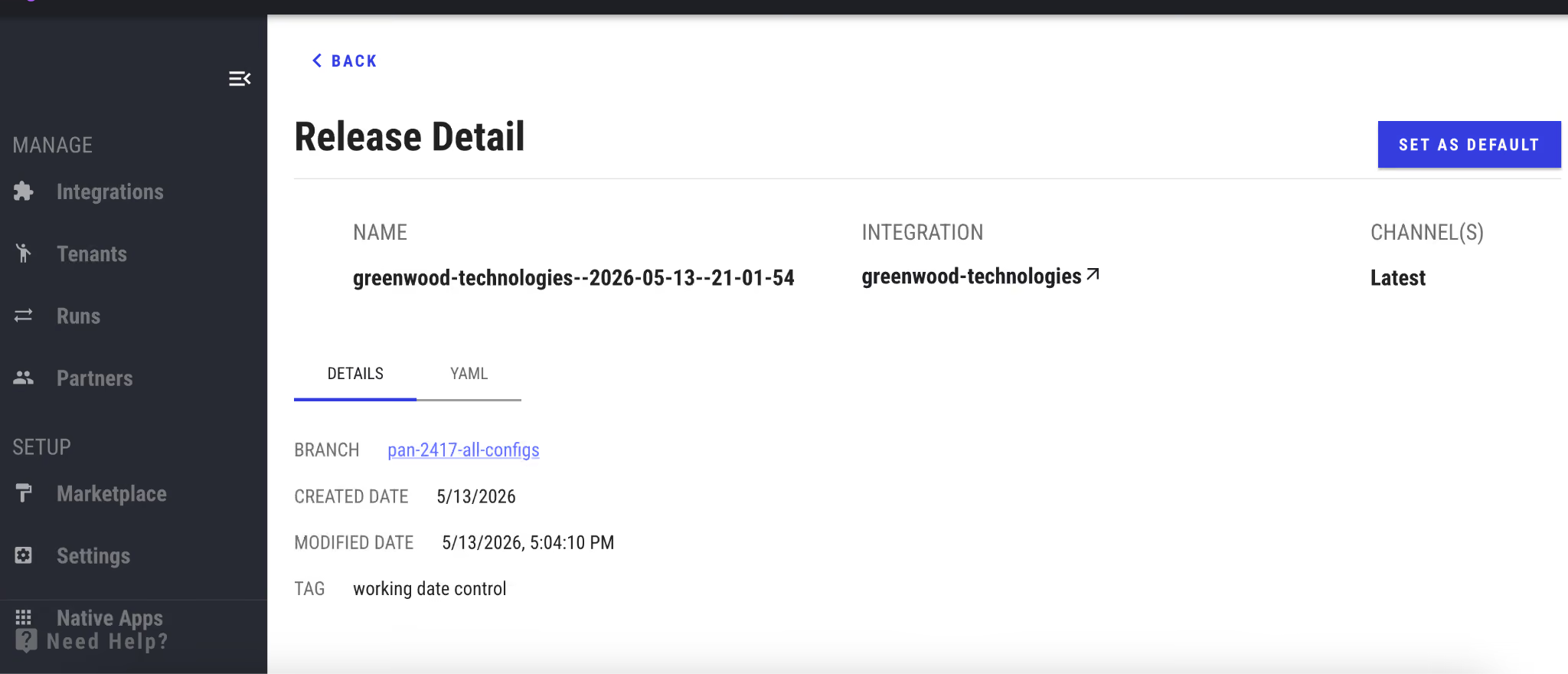
Release Detail Page for Better Visibility
Get a complete snapshot of every integration release with Pandium's new Release Detail Page. Customer experience teams and developers now have instant access to build logs that pinpoint exactly why a release might have failed, along with rendered configuration YAML, repository information, and tenant management. This centralized view means faster troubleshooting, better collaboration, and more control over your integration deployments.
Integration Tips
This is less of an integration trick, and more of an integration marketing content trick.
If you have ImageMagick installed (brew install imagemagick), Claude Code can handle quick image tasks for you without leaving your terminal. For something like editing a simple logo, instead of opening Preview, just ask Claude Code! Enter something along the lines of “I need to crop a logo and make the background transparent”. And Boom!
magick image.png -crop 450x420+0+0 -trim +repage output.png
- Cropped the pictogram from a full logo
- Made the white background transparent
- Trimmed excess whitespace
- Saved as a new png
From the Blog

Pandium Product Updates September 2026